
I am currently going through some personal stuff, so am not able to give more time to writing my usual writing articles. Hopefully, that will change soon. Also, since this month resulted in little writing done, I decided “The Write Life” Update wouldn’t be very useful. So instead, I want to share with you – Whichbook.


What Is Whichbook?
Whichbook is a site that is designed to give readers more control in searching for their next book to read.
Now, you’re probably glancing knowingly back at your ever-growing TBR pile. That’s okay. We all know the TBR pile is never meant to get down to zero! So this is just helping you build up the “collection” 🙂
Rather than endless scrolling or just looking for works by certain authors, Whichbook lets you narrow down by selecting options regarding what you are currently in the mood for.
As a writer, I am all for helping out other writers by finding works from authors I’ve never heard of. I might end up finding my next favourite author!
How Does It Work?
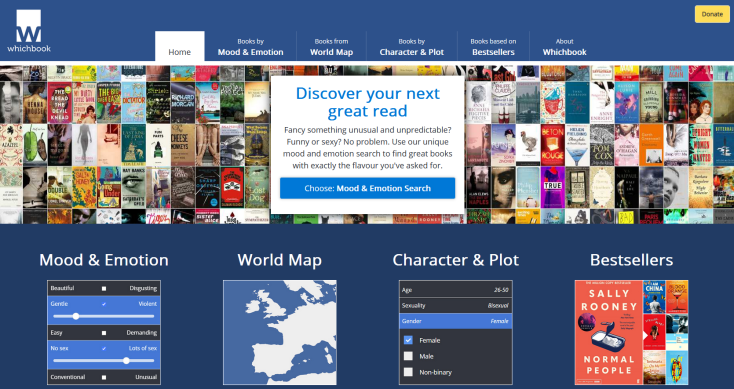
Simply visit Whichbook.net and this is how it looks…
Main Dashboard
This is what you should see. There are several ways to narrow down your search, use one or all. Whatever works for you!
Mood & Emotion
The first category is finding a book by Mood & Emotion. In the screenshot below, you can select Mood & Emotion from the menu at the top and it gives you the side panel, shown.
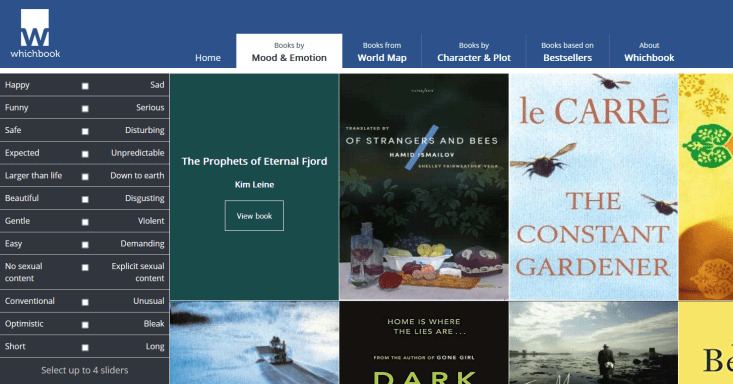
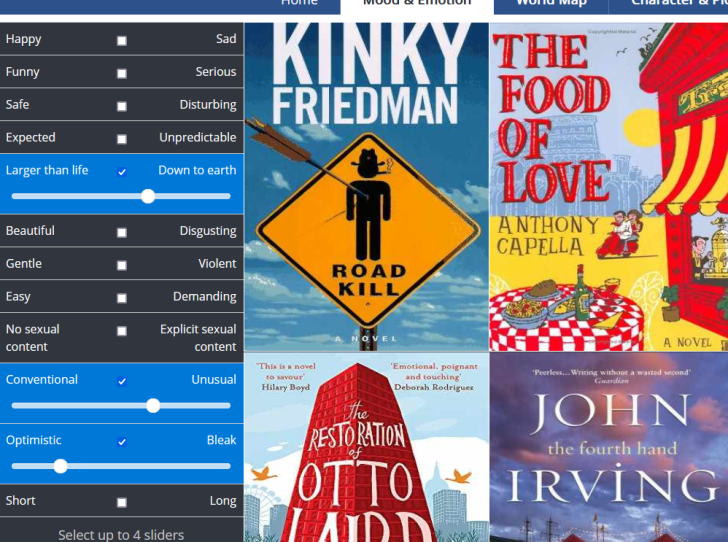
From here you can select 4 sliders. What this means, is if you select one of those options e.g. Larger than life – Down to Earth it opens up and gives you a slider. Then you can move it to be more Down to earth or more Larger than life.
Below you can see I selected 3 different ones and moved the sliders to my preference. Every time I selected something and changed the slider, the collection of books in the middle changed.
World Map
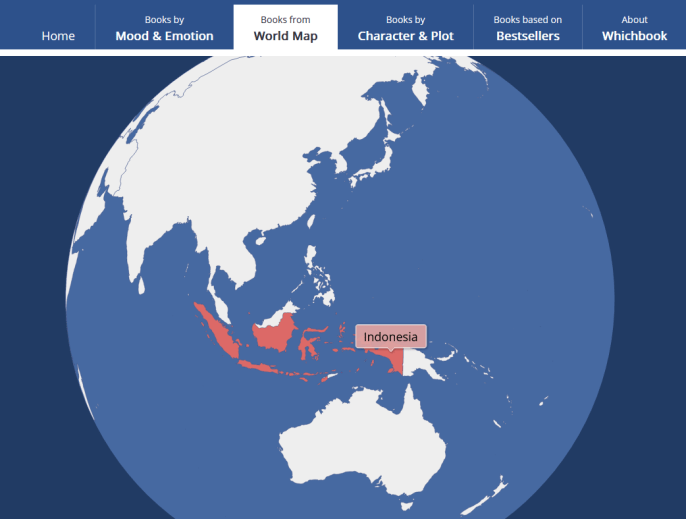
You can also select books by the country it is set in. This allows for a wider range of authors too as many authors set their novels within the countries they are from (not always, though). But it does give you a better chance of finding authors from different places.
Select the Books from the World Map menu option and it will pull up a globe, using your mouse, move the globe around and wherever you hover it will highlight the area.
When you first hover, it will give you continents such as Africa. You need to click on the specific area eg Europe and then using the scroll button on your mouse you can zoom in. It will then break the individual countries out and you can select which one you want.
Once you have your selection it will give you a selection of books to choose from.
Character & Plot
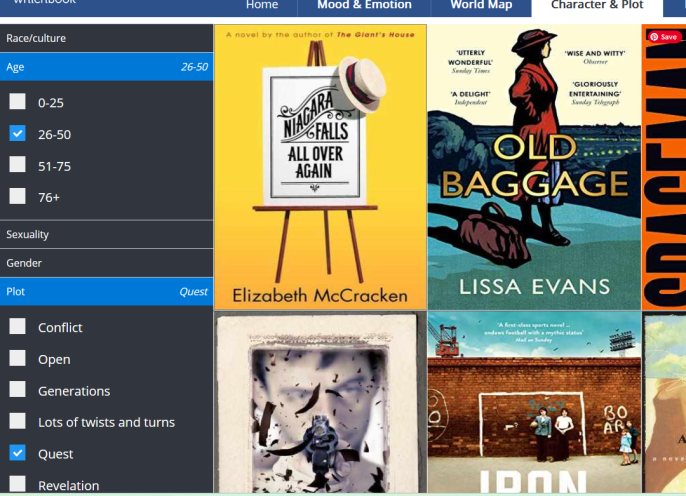
Next, we have the section to select Character & Plot. When you select this, you get the sidebar that breaks it down by Race/Culture, Age range, Sexuality, Gender and Plot.
Note: Each of these categories is what the main character is! So when you select the age range, it’s not your age range but that of the main character.
Simply collapse each one and select what you are looking for. I like this because I
Bestsellers
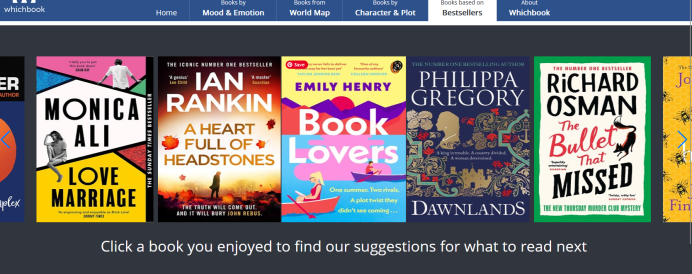
Now we go to Based on Bestsellers. Now this is NOT where you will find bestsellers, but instead, it’s books that you may like that are in a similar mood/style to current bestsellers you might have enjoyed.
When you select this menu option, you are given a carousel of bestsellers. Spin through and select one you enjoyed, and Whichbook will give you a selection of books you might like.
So, when you are considering treating yourself to a new book – consider giving Whichbook.net a try. And with that, which of the sections most catches your eye?
~ ~ ~
Overall, it’s a clever way to help readers who are looking for something different and want to drill down with their requirements. It’s a good way to find new authors and build up that TBR pile and I especially like the World Map option where I get to try stories set in different countries and cultures.
Happy writing and stay safe
 I write articles on writing, marketing, blogging, organising, social media, books and some random stuff. I also create free printable resources. If you find my content helpful, and entertaining and like what I do, consider supporting me on ko-fi (where you will also find extra content I post). All tips go to keeping my website running and helping me move towards publishing my novels.
 Author Ari Meghlen Official Website
Ooh, what a great idea. Thanks for sharing, Ari!